Posts

Using Adobe Character Animator in Microsoft Teams or other conference tools
Image
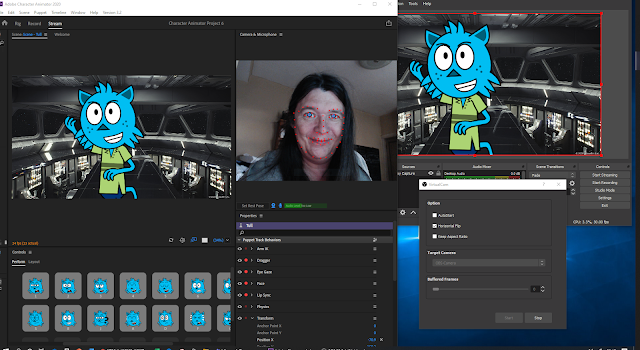
Mini win of the Day! For my usual tinkering around on some level of research for teaching - I finally sat down to figure out how to use Adobe Character Animator into Microsoft Teams, without having to output as a stream from the program into Youtube or Microsoft Streams... To the rescue - the ever useful OBS Studio was used to bridge and capture the display output from Adobe Character Animator ( my trick was to capture the 2nd monitor display using OBS ). So far so good, the key is to download a plugin for OBS - called Virutal Camera - download link here and install it... https://obsproject.com/forum/resources/obs-virtualcam.949/ With this enabled in OBS - the studio output can be activated as a Camera Feed in your Teams or Zoom software ( so change your device settings to accomodate this ) I'm still playing with the setup - to improve latency and sync with sound... but its a fun alternative to having not to comb my hair for those crucial meetings! - When its perfected - I...
Folding @ Home

Image
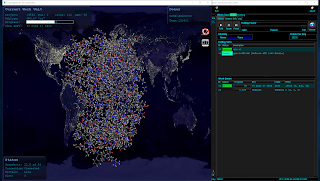
Folding@home is a project focused on disease research. The problems they're solving require so many computer calculations – and they need your help to find the cures! Folding? Folding refers to the way human protein folds in the cells that make up your body. We rely on the proteins to keep us healthy and they assemble themselves by folding. But when they misfold, there can be serious consequences to a person’s health. The Folding@home software allows you to share your unused computer power with us – so that we can research even more potential cures. As an Animation Community - we have some powerful computers at hand for rendering and working on creative projects - when these machines are idle - help put them to use to help support cures for Covid-19 and other High Priority Diseases. https://foldingathome.org/  to download the App for PC / MAC or LINUX Please join Team Animates - to combine our efforts and see our impact... Team Number is 263901 Keep Well ...

Exploring MASH & BOOL for Maya 2018

Image
MASH is a plugin that has been with Maya for a while now. Developed by Mainframe  - MASH adds a host of tools for speedy development of Motion Graphics similar to Cinema 4D - check out this video to get a flavour of what it can do >> link   There is plenty of useful tutorials provided by them too. Finally had a few days free to play catch up with MASH and an additional plugin BOOL ( also developed by Mainframe ) , since they added Dynamics in the MAYA 2018 edition. Here's a few examples of what it can do : In the above example - this is made using the Audio and Trails Nodes to create a Plexus like network. The 360 render is achieved by using the new VR mode ( or spherical if your using 2017 ) in the Arnold options of your camera properties. This example uses the Flight Node - which mimics swarming, flocking and schooling of a group of objects. A Signal Noise Node was added to make it look like the paperplanes were being buffeted by the wind. The ba...

360 Animation for Vespertine #15

Image
On October 19th 2016, 'Zoom Through' was presented at National Center of Early Music, York. This was a project commission by Vespertine, National Center of Early Music & AOC Archeology . The 360 animation was an abstract/artistic response to the historic space been scanned by LIDAR  equipment. This was then released on YouTube after the event, creating an artefact that had a life after the Event day. The LIDAR dataset produced by AOC Archeology was over 40 million point model of the Church, that is the home of the National Center of Early Music. Using MeshLab, this was reduced to around 500,000 points, so it could work efficiently in Trapcode Form without memory errors, it also created the 'x-ray' aesthetic of the animation, by having the point cloud resolution low enough to see through the walls and columns. To produce the equirectangular video output for 360, the plugin Mettle Sykbox studio was used in After Effects to render the Trapcode Form object. This...